
Choose your soundtrack
Pick a playlist or album from your Apple Music library, then choose shuffle and whether it should loop until the session ends.
 DropReady
Built for the school year - DropReady 1.4
Turn a deadline into study sessions you can actually follow.
Plan backward from an exam or assignment, review every proposed session, and use Continuous or Pomodoro Focus Sessions to keep moving. Add an optional playlist or album from your Apple Music library as your Study Companion.
From deadline to focused work
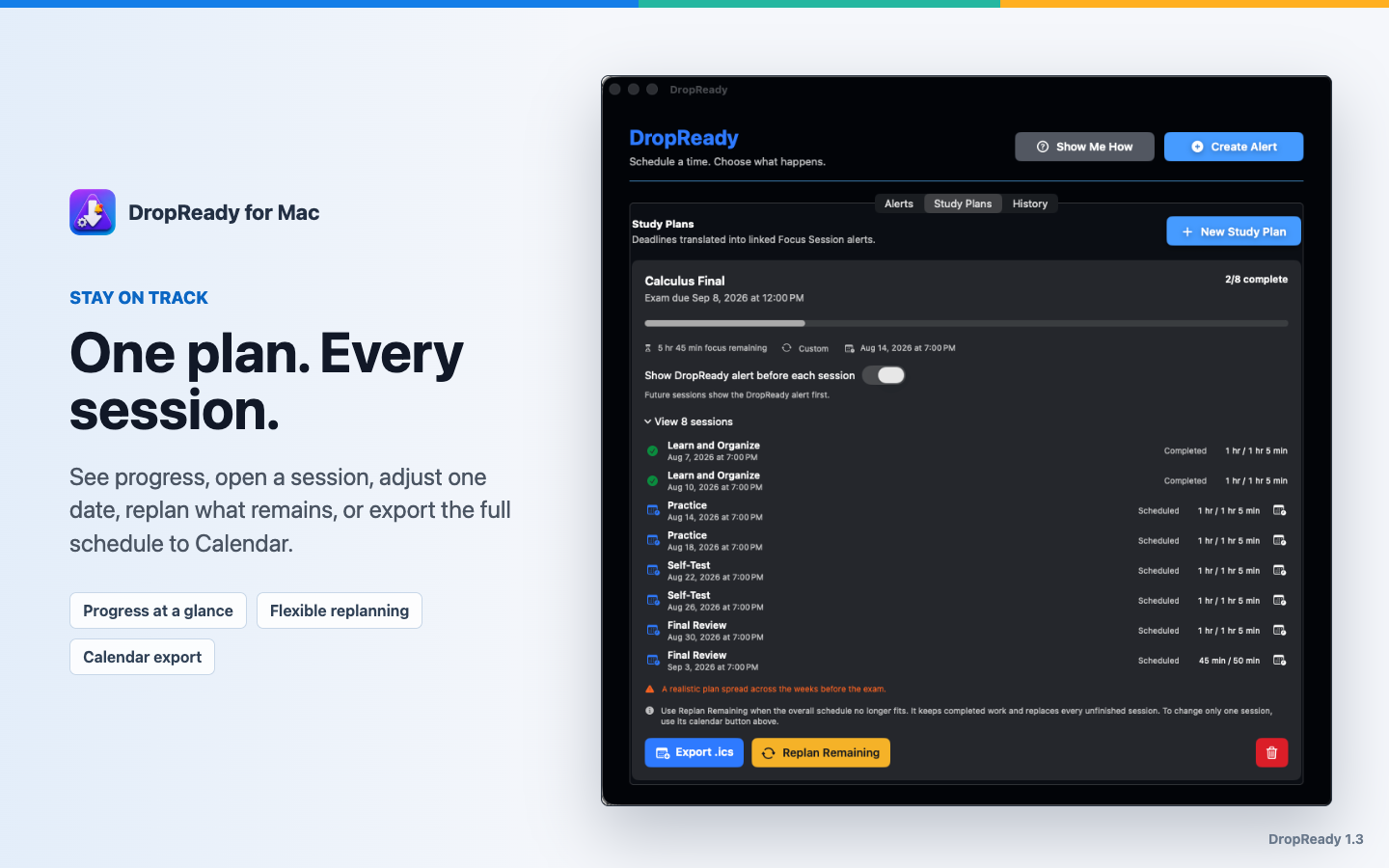
Review the schedule before saving, track progress afterward, and begin each planned block with a focused Now/Next timer.
New in 1.4
Choose an optional playlist or album from your Apple Music library while building a Smart Study Plan. Control shuffle and looping, then let DropReady handle playback with each linked Focus Session.
Pick a playlist or album from your Apple Music library, then choose shuffle and whether it should loop until the session ends.
With Alert Start, music waits until you run the Focus Session. With Quiet Start, both begin directly at the scheduled time.
Your music continues through Pomodoro breaks so the session stays cohesive, then pauses when the session finishes or you stop it.
Change the music or its playback settings later without rebuilding the schedule. DropReady only pauses playback that it started.
Smart Study Plan
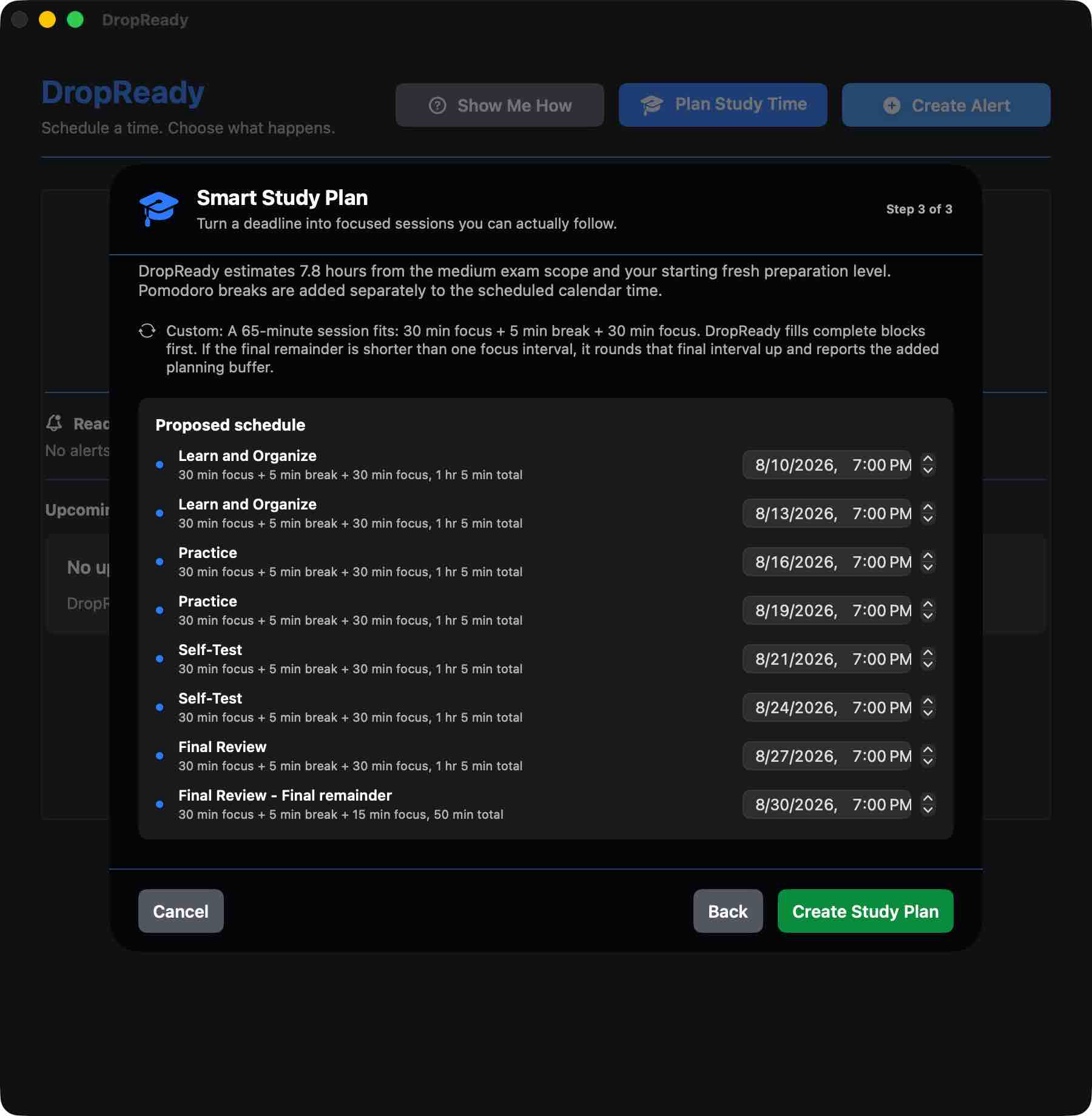
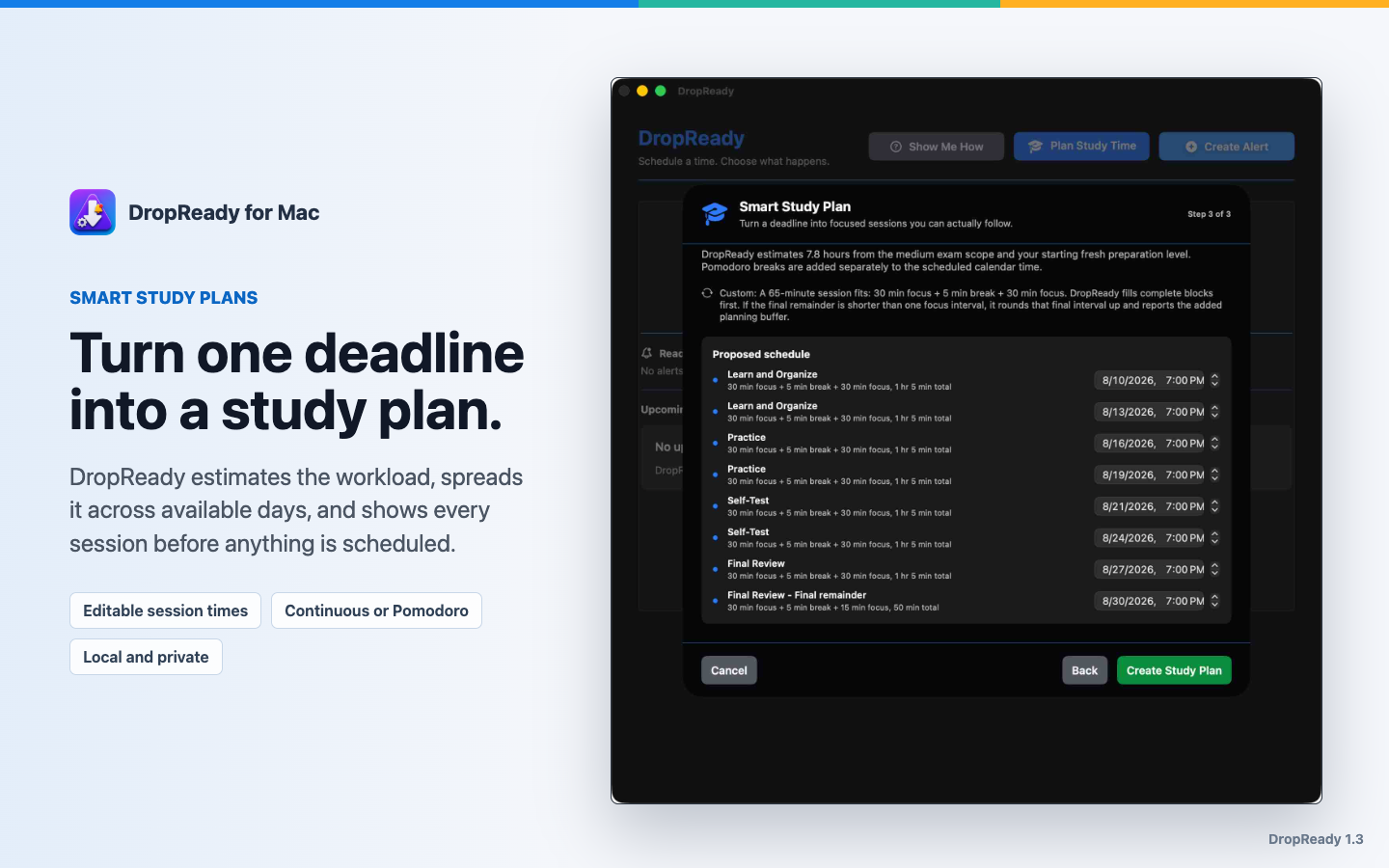
DropReady estimates preparation time locally from the work type, scope, familiarity, and preferred session length. It then spreads that time across the available days and explains the assumptions it used.
No account or cloud planner is required. Plans show the exact focus and break sequence inside each calendar block. If a final remainder is too short to be useful, DropReady rounds it up and clearly reports the added planning buffer. No alerts are created until you approve the preview.
Plan, then adapt
DropReady shows the plan in plain language, then keeps linked sessions together so a busy semester does not become a crowded alert list.
What it does
Create deadline-based plans with Continuous or Pomodoro sessions, grouped schedules and history, reusable templates, progress tracking, replanning, and .ics export.
Pair a Study Plan with an optional playlist or album. Choose shuffle and looping, continue through breaks, and pause automatically at the end.
Launch a meeting link, dashboard, reference page, or web app in the browser you choose.
Use alerts to bring up the file or application you need at the scheduled time.
Group safe steps into one alert, such as opening a page, a document, an app, a Shortcut, and a timer.
Trigger Apple Shortcuts by name for workflows you already manage in the Shortcuts app.
Run a multi-step focus session with activities, breaks, repeat rounds, Now/Next labels, and a countdown in the menu-bar menu.
Compose a message in the mail app you choose, including Apple Mail, Microsoft Outlook, or your default client.
Import an .ics event and turn it into a reminder, timer, or link-opening alert.
Keep automatic urgency colors or choose a Timer/Focus background color in Settings.
Run a scheduled action once without a DropReady prompt, sound, or follow-up alerts. The requested browser, app, document, timer, or Focus Session may still open.
If your Mac was off, DropReady keeps a missed-alert list so you can run, reschedule, or acknowledge items later.
How it works
The first-run walkthrough creates a real alert, explains where each action fits, and offers a direct path into Smart Study Plan. It can be replayed from Help at any time.
Trust
DropReady schedules reminders and opens user-configured actions. It does not run scripts, launch user-selected executables, scrape websites, bypass queues, automate checkout, or interact with protected purchase flows. Study Companion accesses Apple Music only after you enable it and grant permission.
Smart Study Plans, optional Apple Music playlist or album accompaniment, reminder windows, webpages, documents, apps, email drafts, Apple Shortcuts, timers, Focus Sessions, routines, and calendar import or export.
Support
Get DropReady on the Mac App Store, or email support@dropready.app. Feedback from real use is what shapes the app.